
Screenshots
Every back-office image on this page is a capture of Fincas running with its demo data
(seed_demo_data, seed_crm and seed_my_day, plus a few weeks of quotes, orders,
invoices and purchase orders created through the app). The company, people, emails and
phone numbers are made up. Click an image to open it at full size.
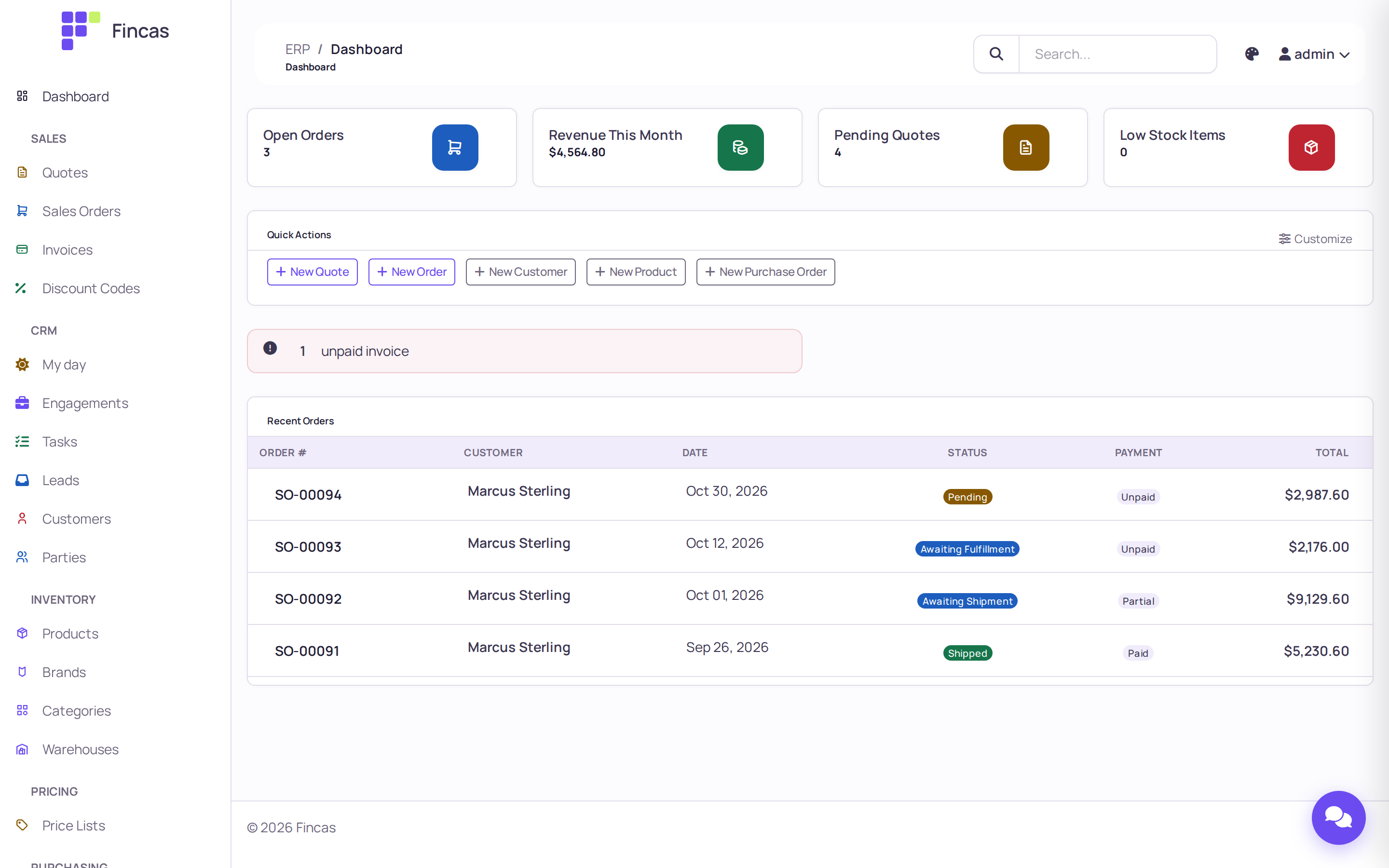
The dashboard
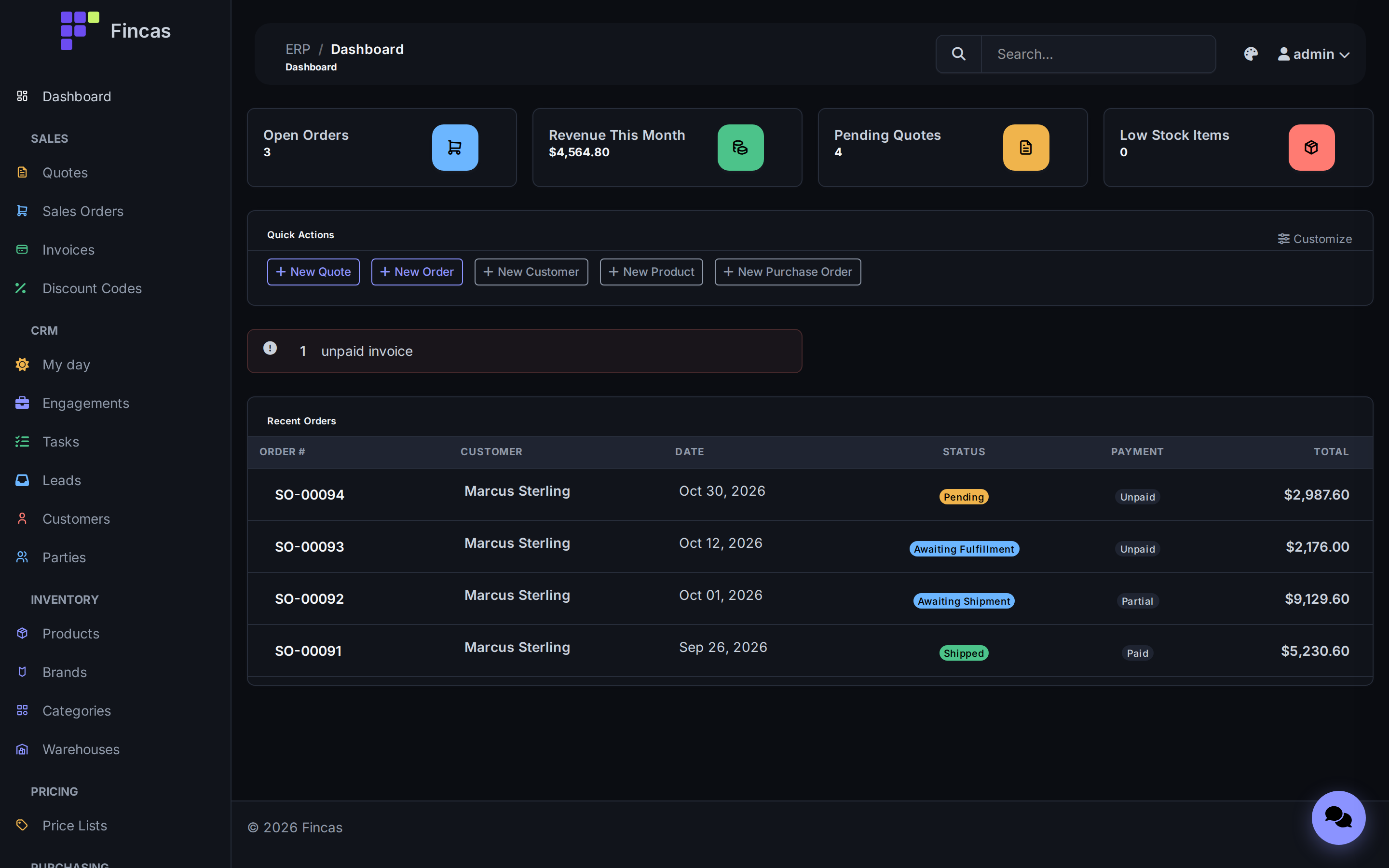
Section titled “The dashboard”Open orders, this month’s revenue, pending quotes, low stock and unpaid invoices, with quick actions for the documents you create most.
The storefront
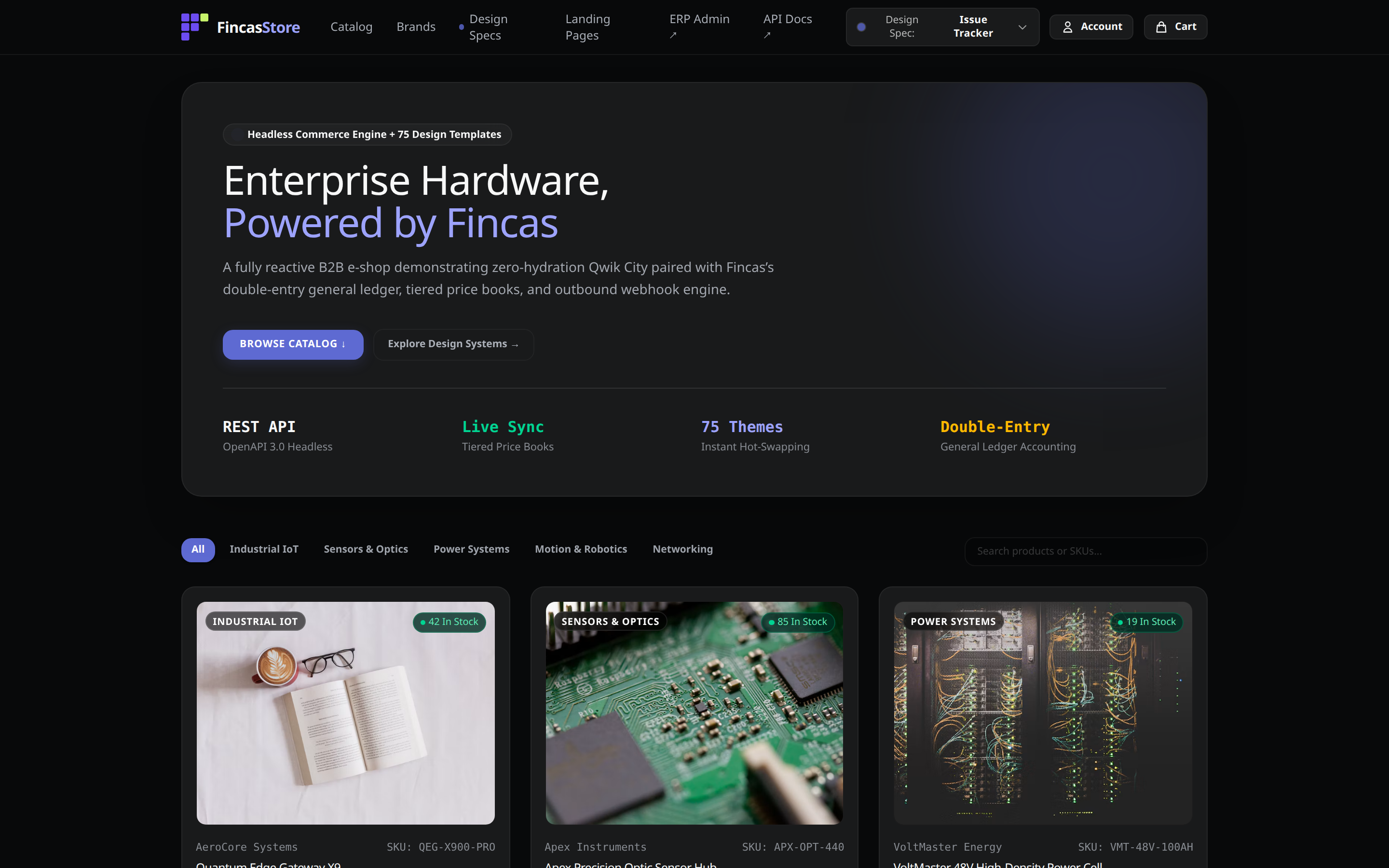
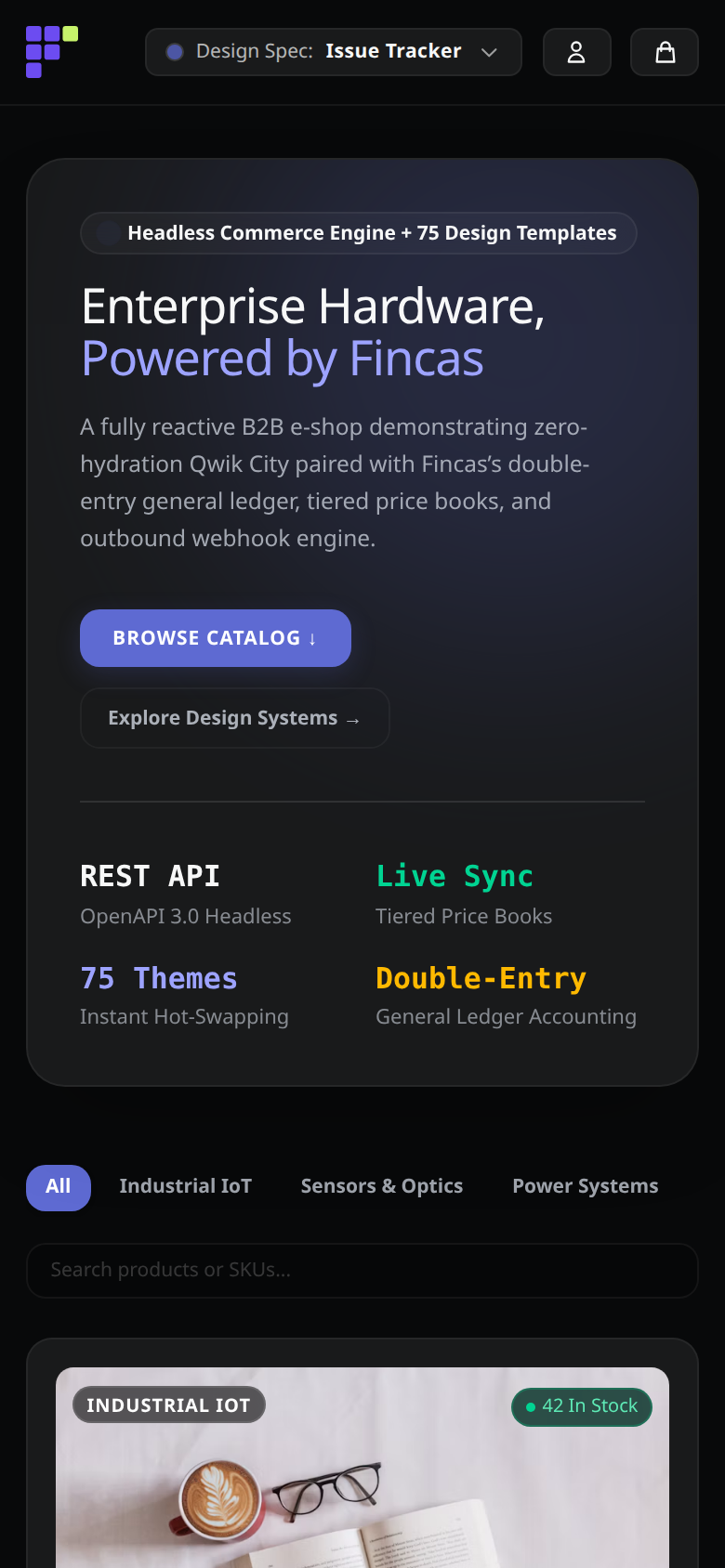
Section titled “The storefront”A Qwik City storefront ships in the same repository and reads the ERP live through the REST API: catalog, prices, stock and SEO text, with no sync job. Try it at shop.demo.fincas.dev. These captures use its built-in demo catalog.
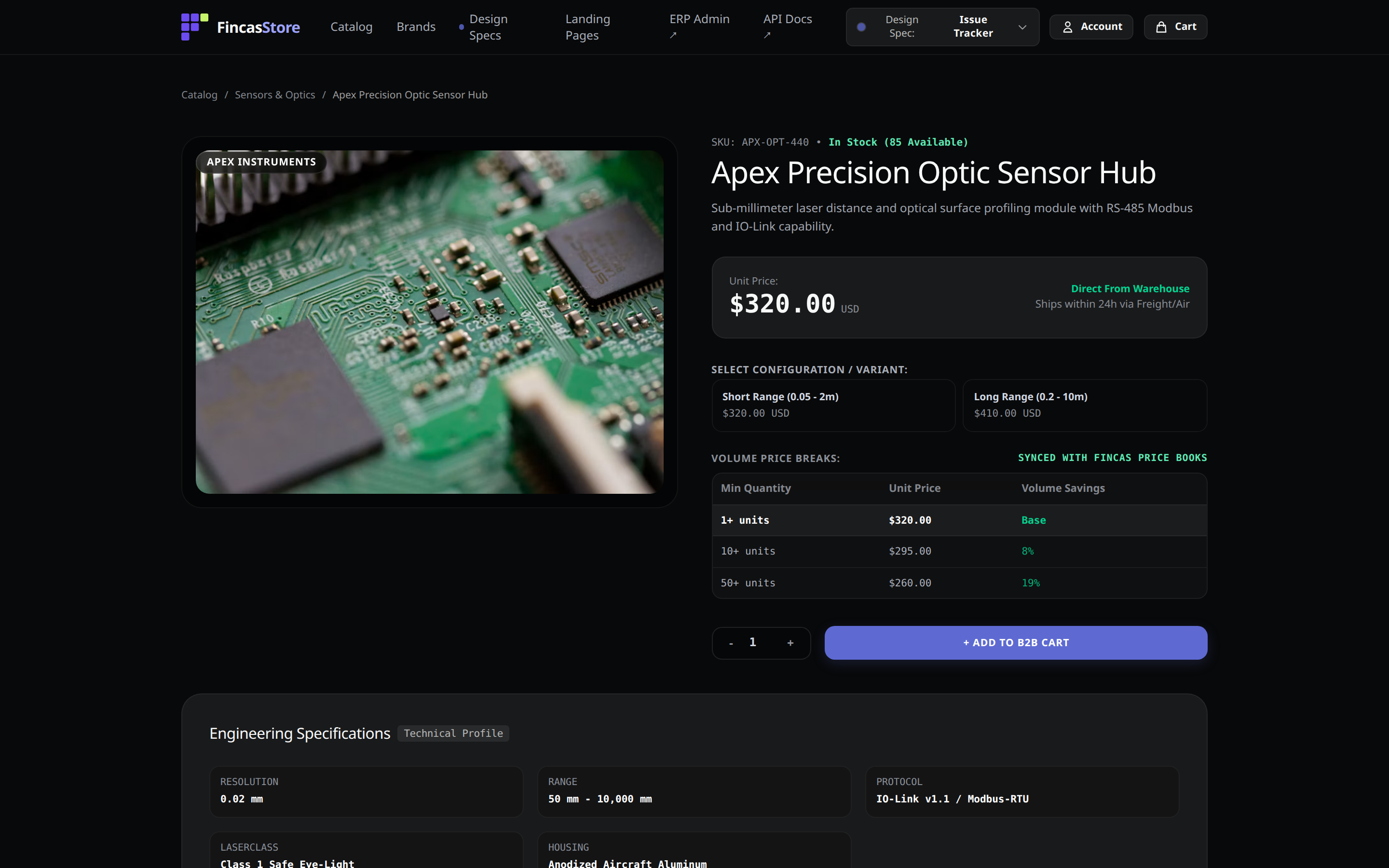
Price, stock and descriptions come from the ERP. (The volume price table in this capture comes from the built-in demo catalog: the API does not serve quantity breaks to the storefront yet.)
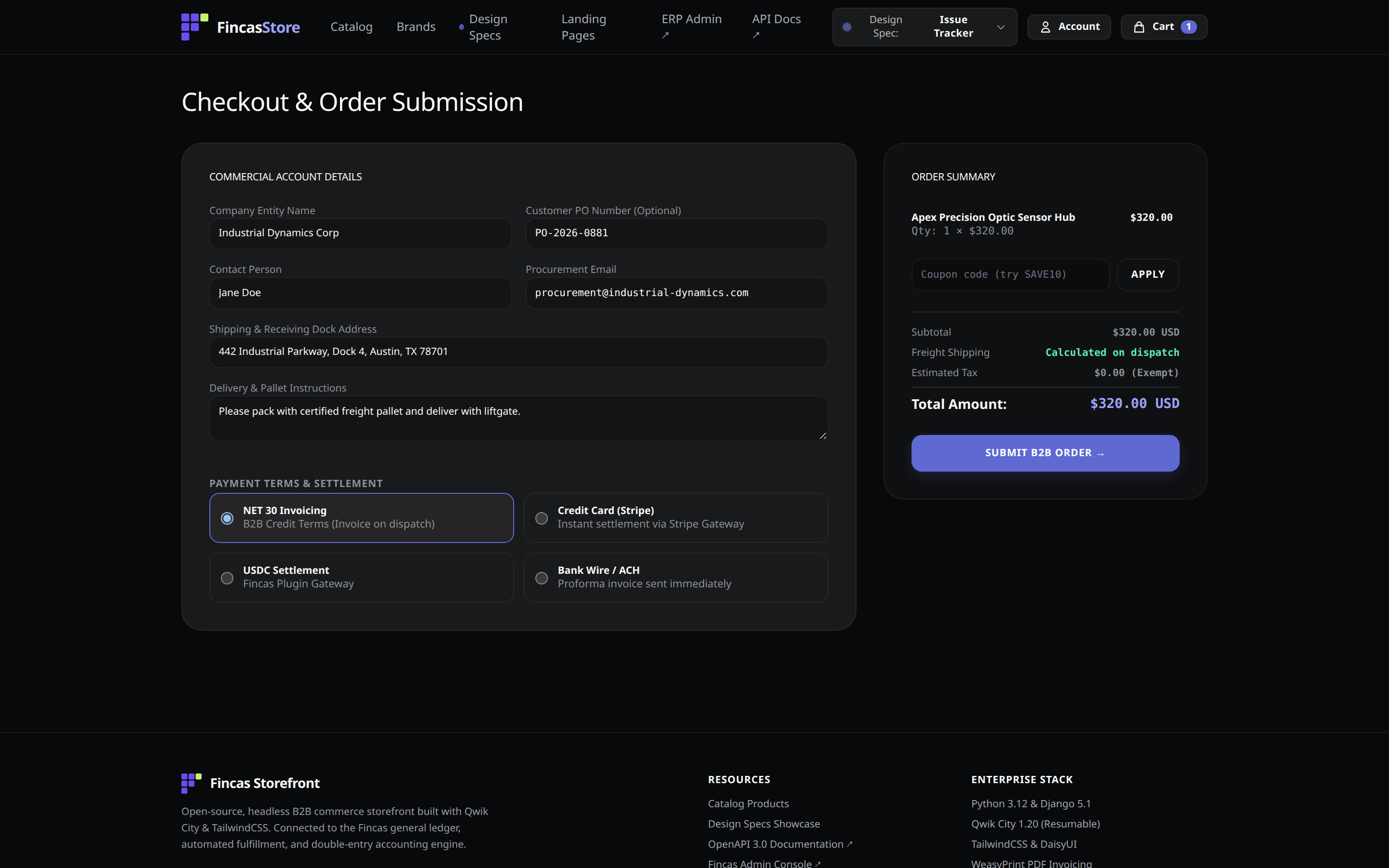
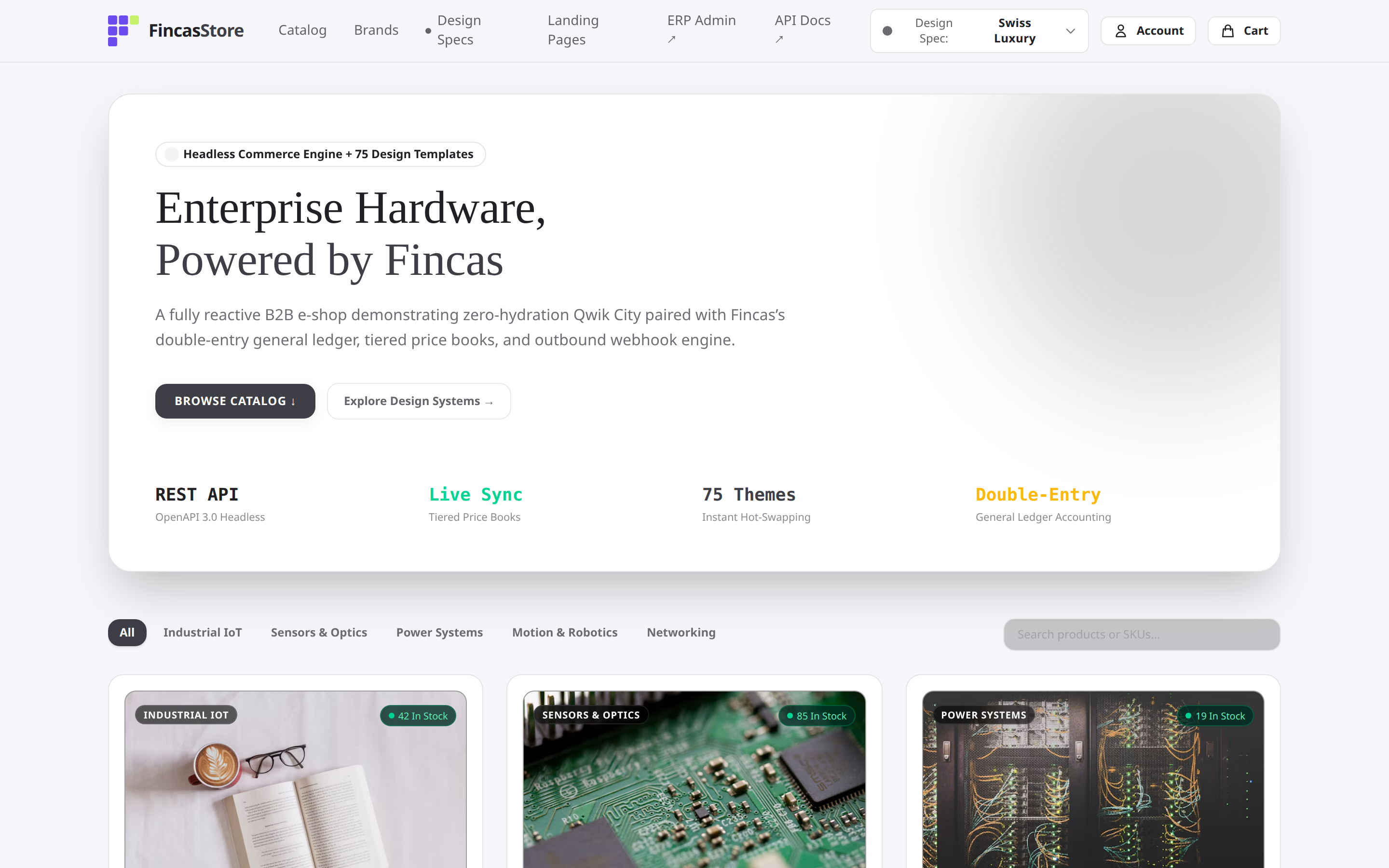
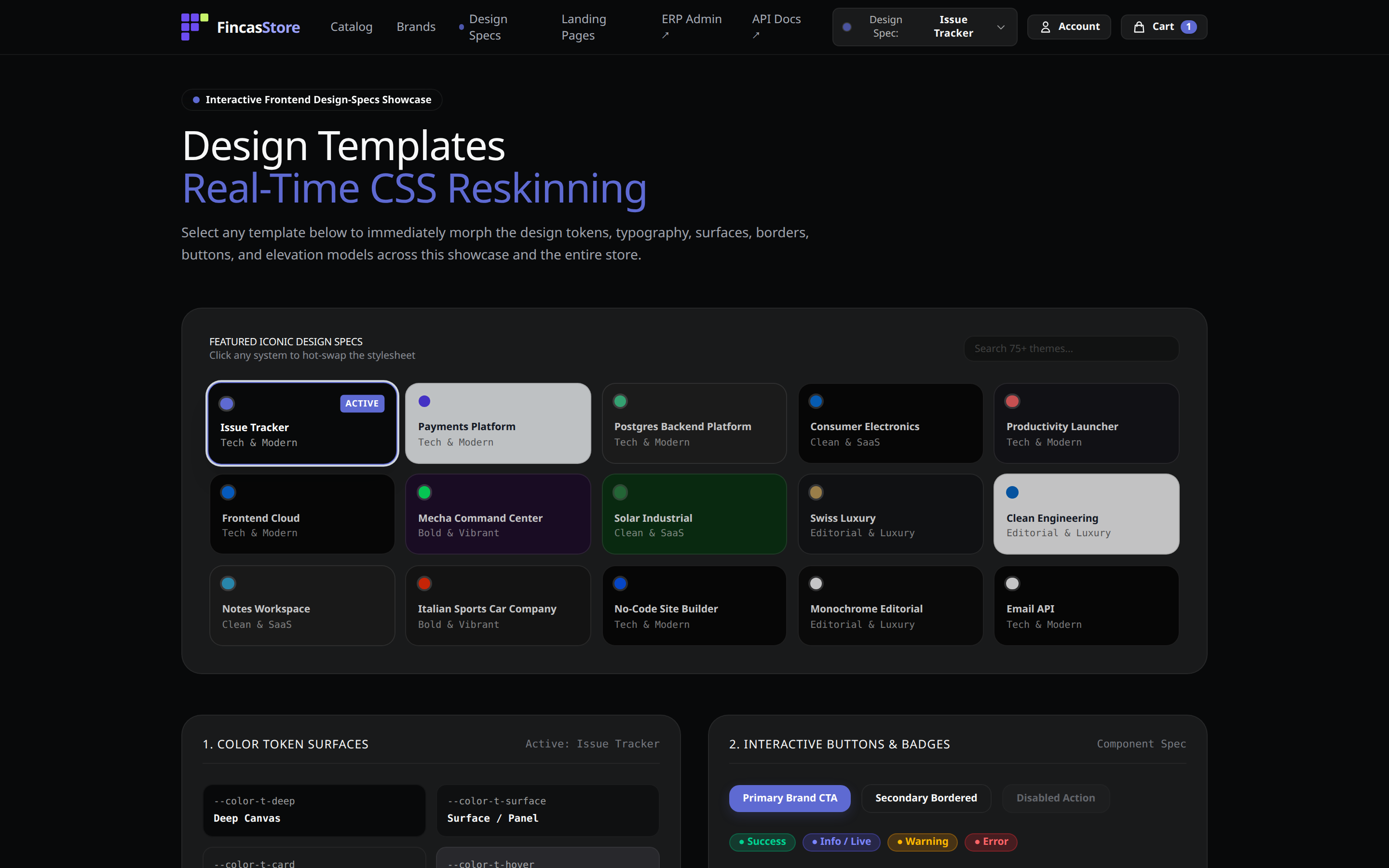
75 themes, switched at runtime
Section titled “75 themes, switched at runtime”Every page reskins instantly from the theme switcher. The same store in a light editorial theme:
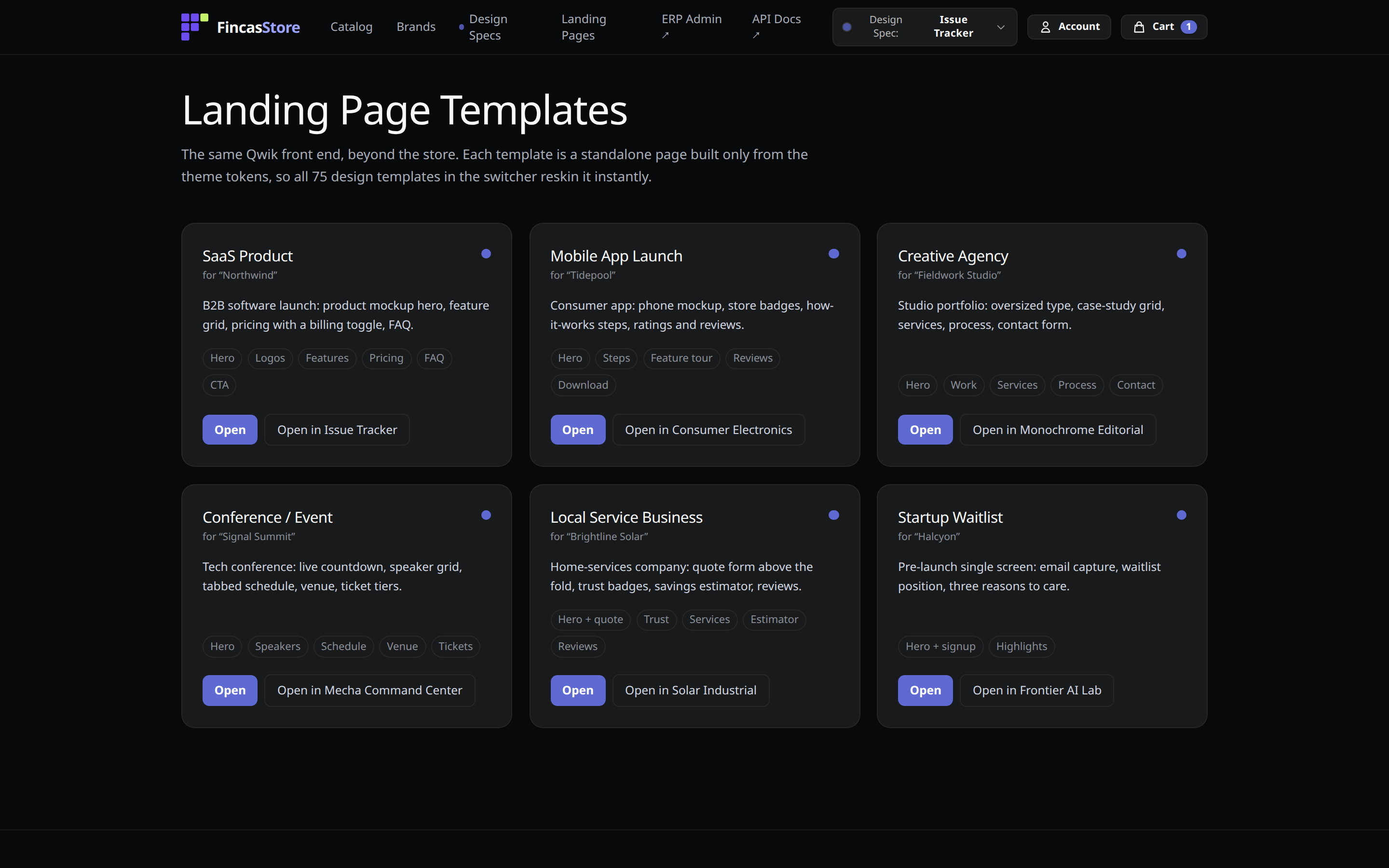
Landing-page templates
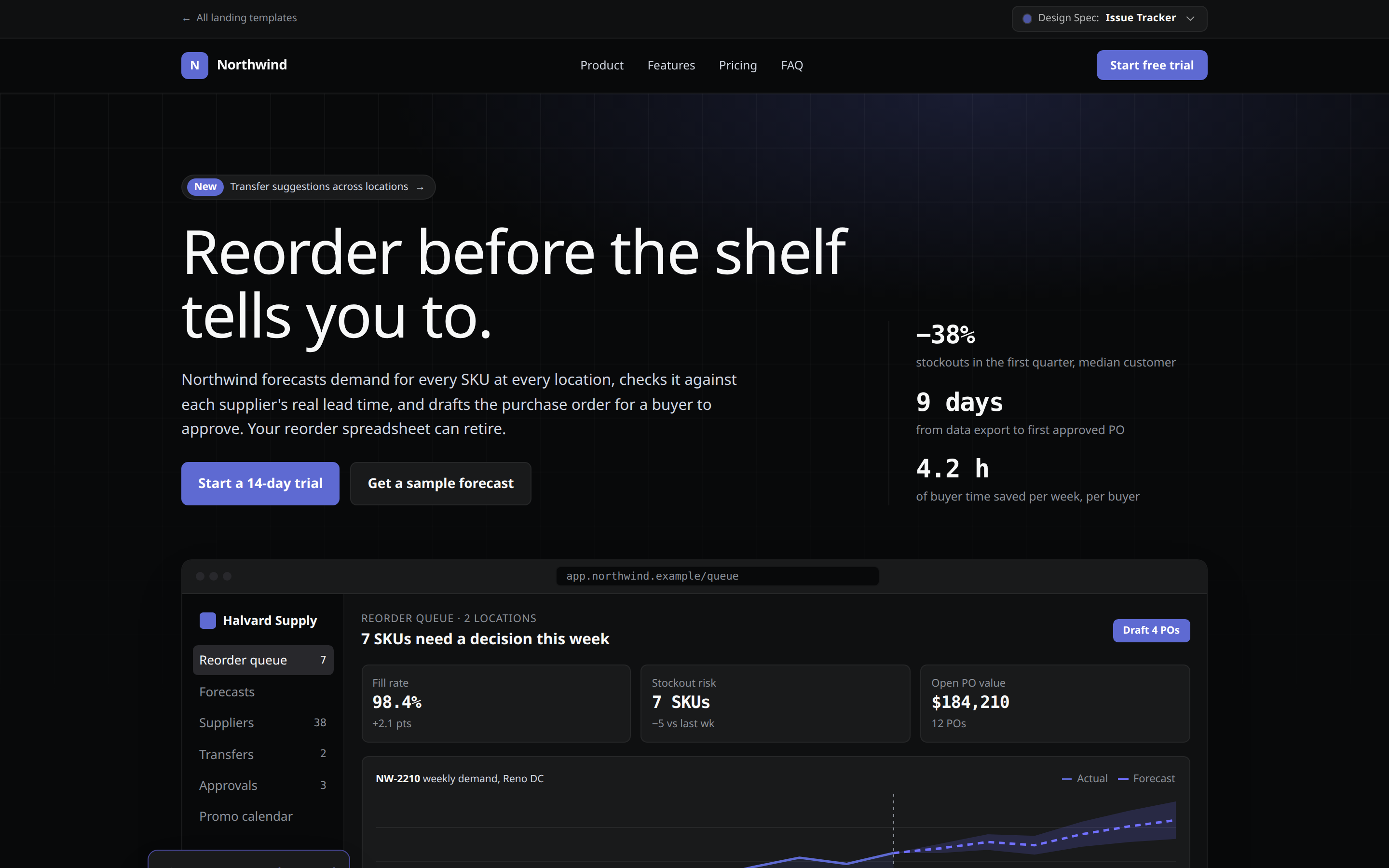
Section titled “Landing-page templates”Standalone landing pages built only from the theme tokens, so every theme restyles them too.
Quotes
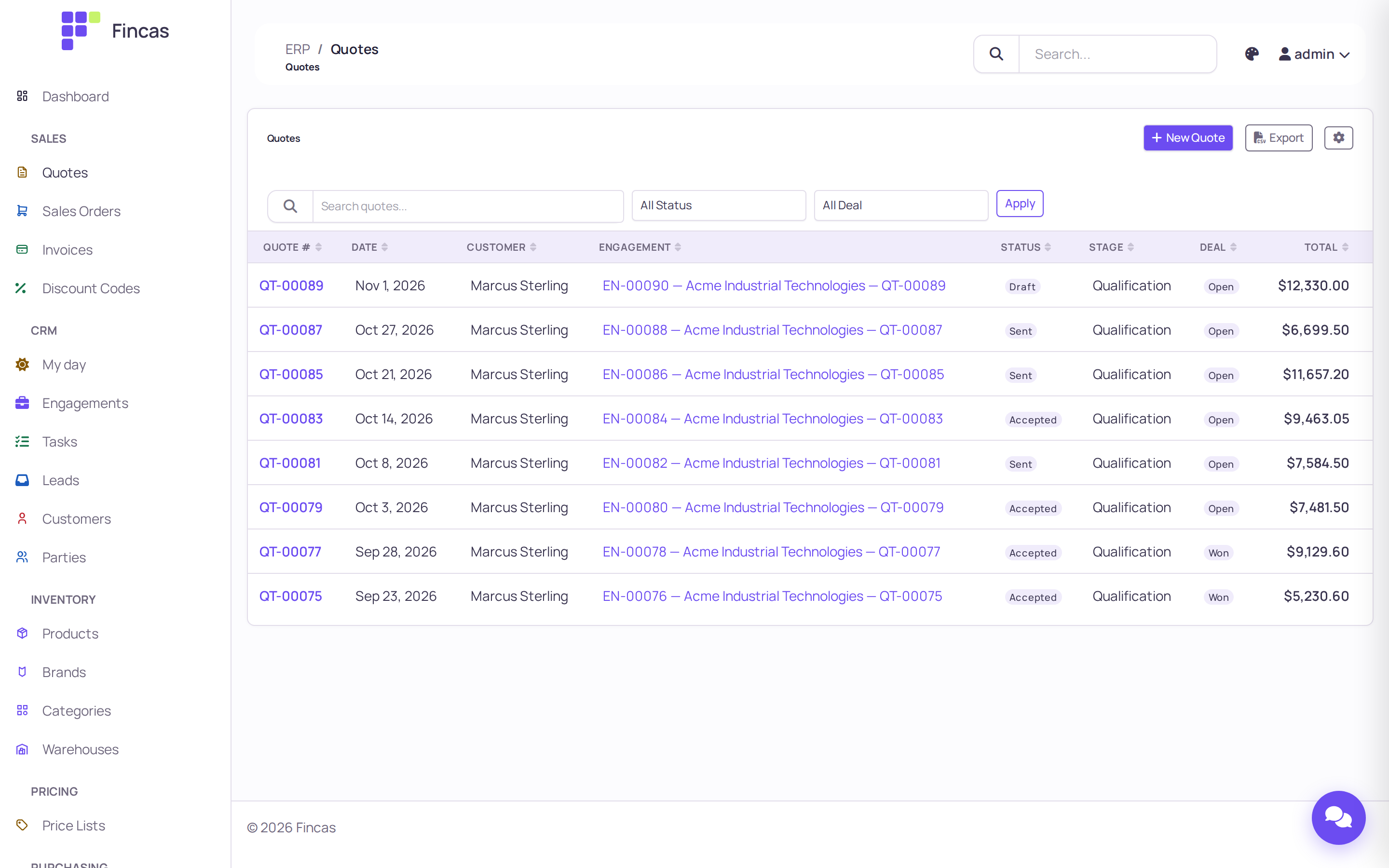
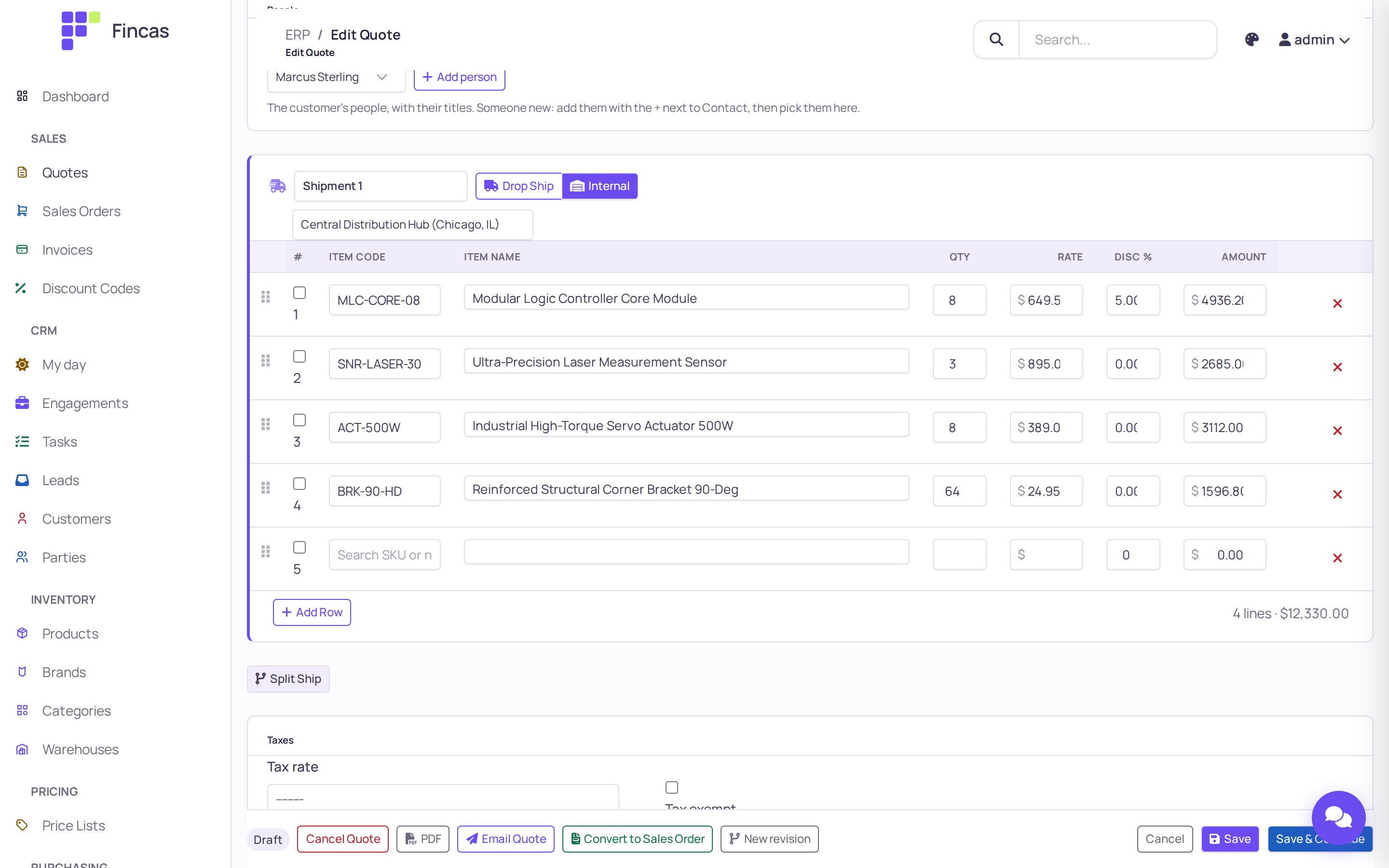
Section titled “Quotes”Quotes carry revisions and turn into sales orders in one step. Each quote is also a deal on the CRM pipeline.
Sales orders and shipment groups
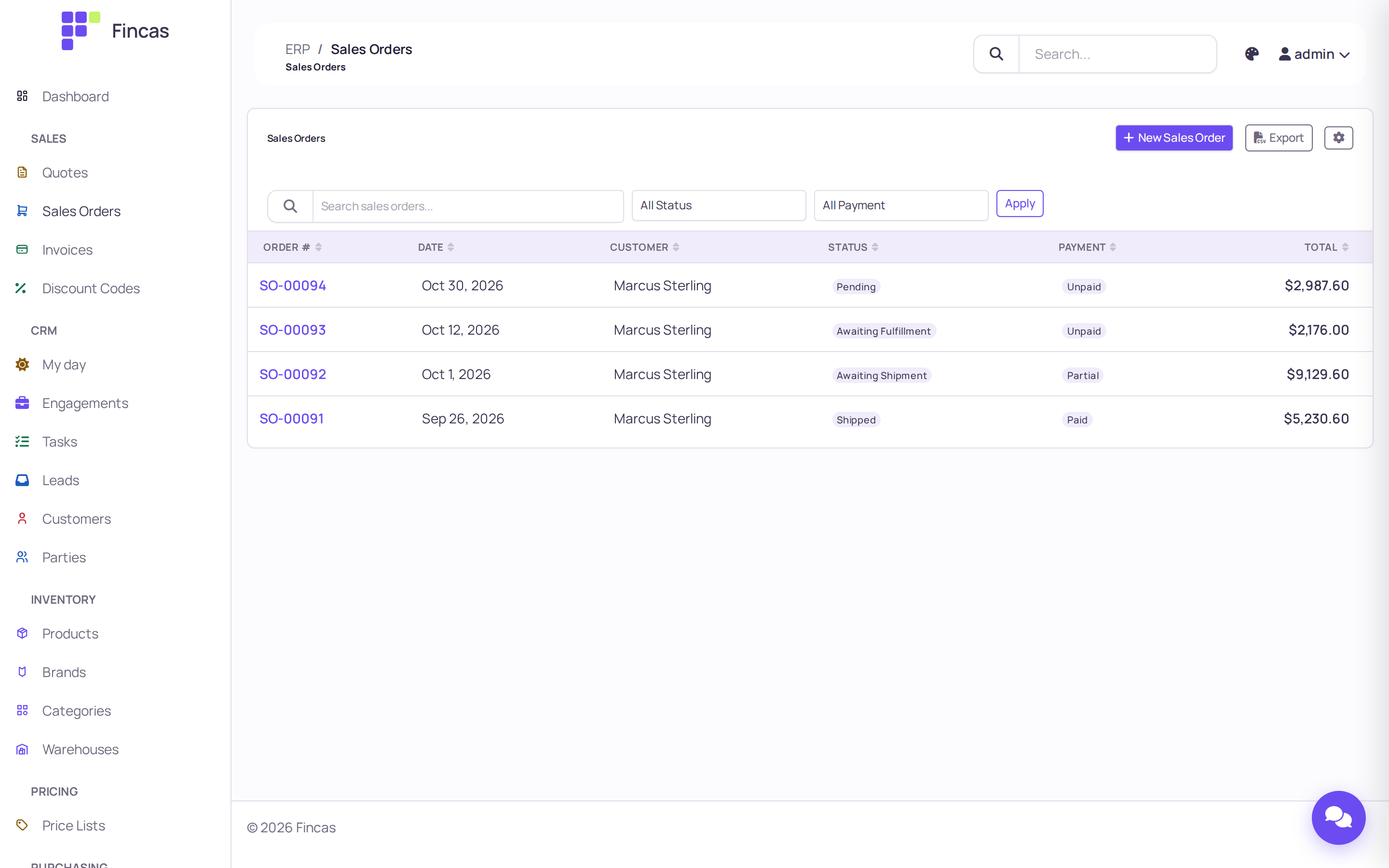
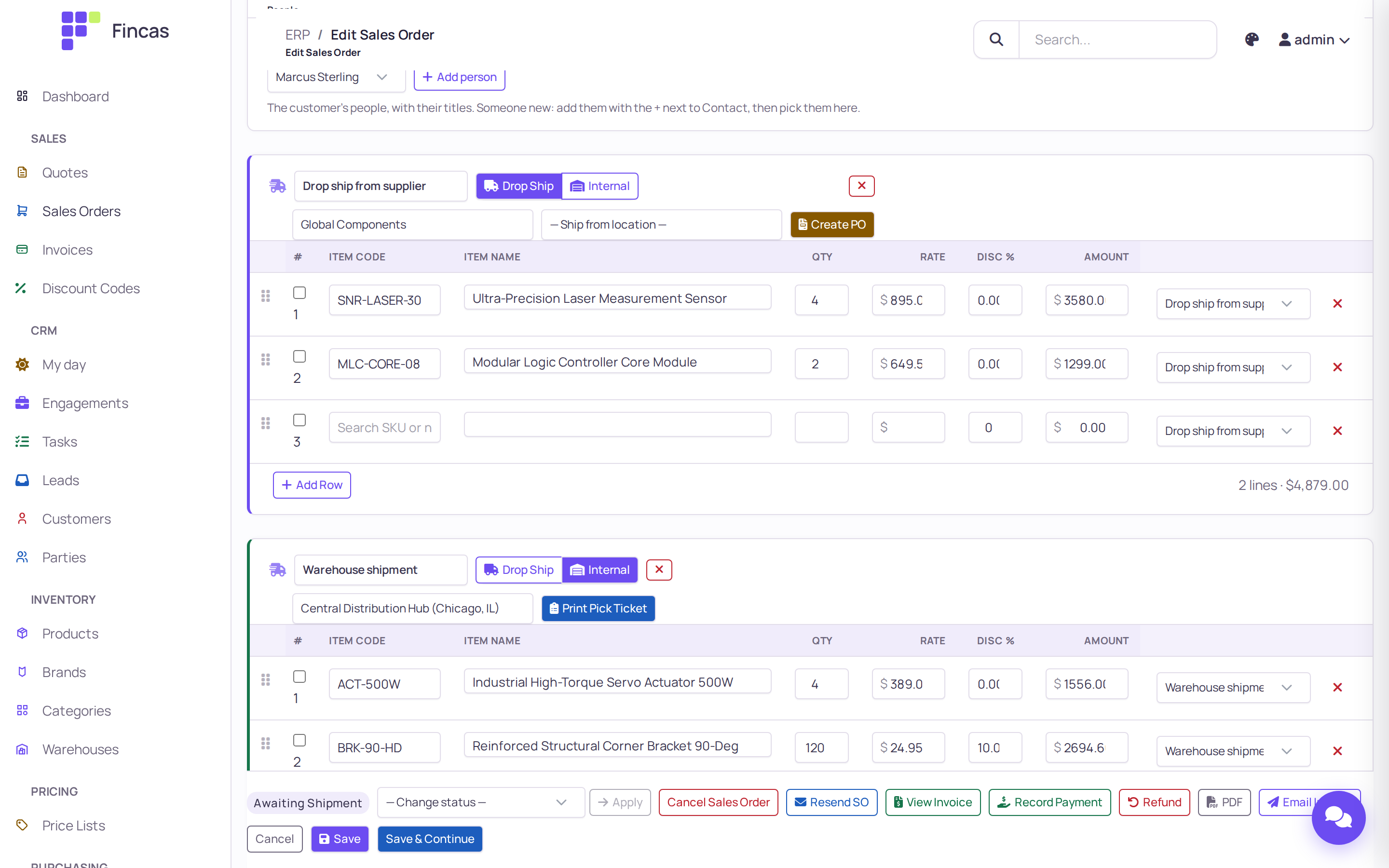
Section titled “Sales orders and shipment groups”An order splits into shipment groups: some lines drop-ship from a supplier (with a purchase order created from the group), others ship from your warehouse with a pick ticket. Drag a line between groups to move it.
Invoices and payments
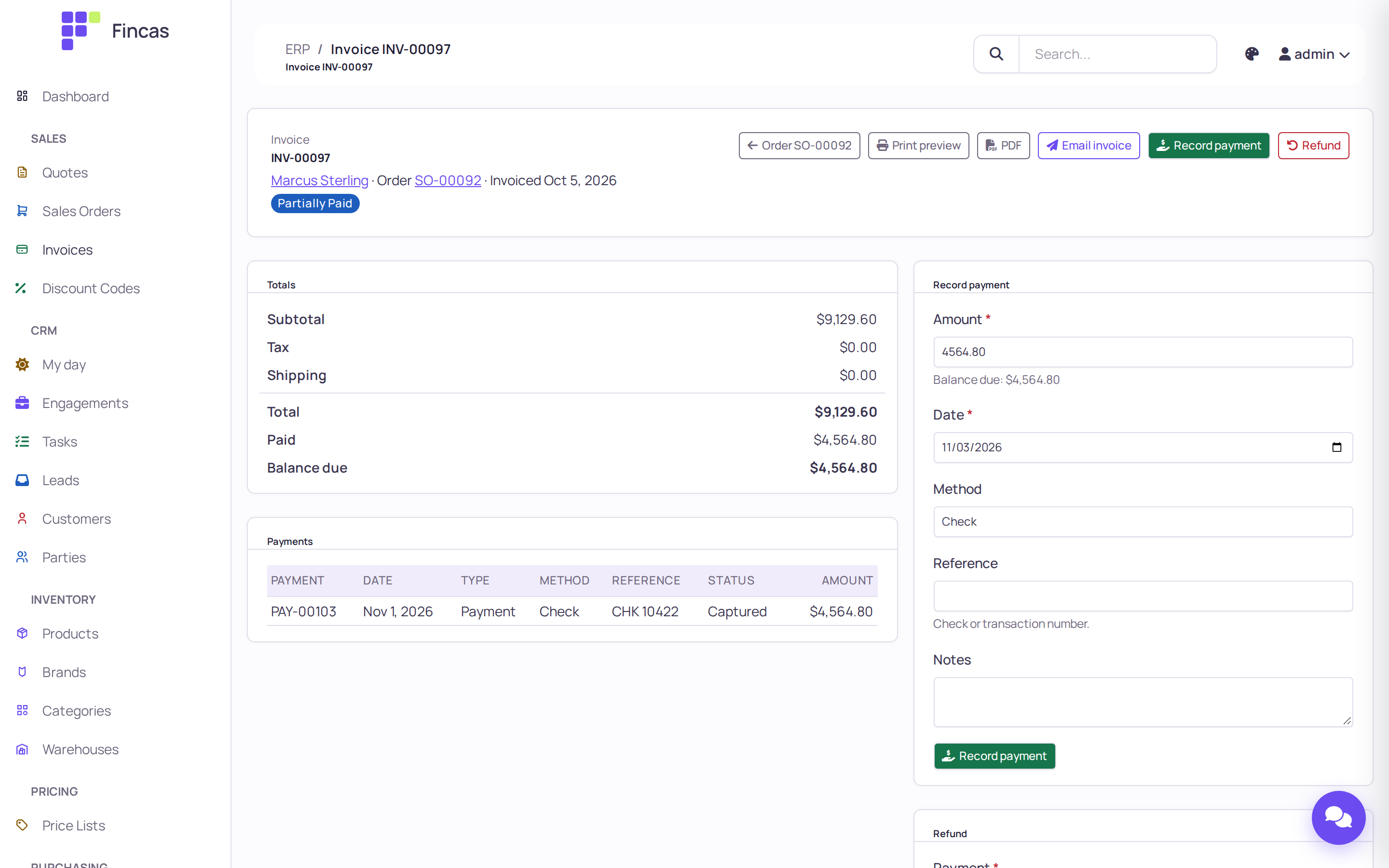
Section titled “Invoices and payments”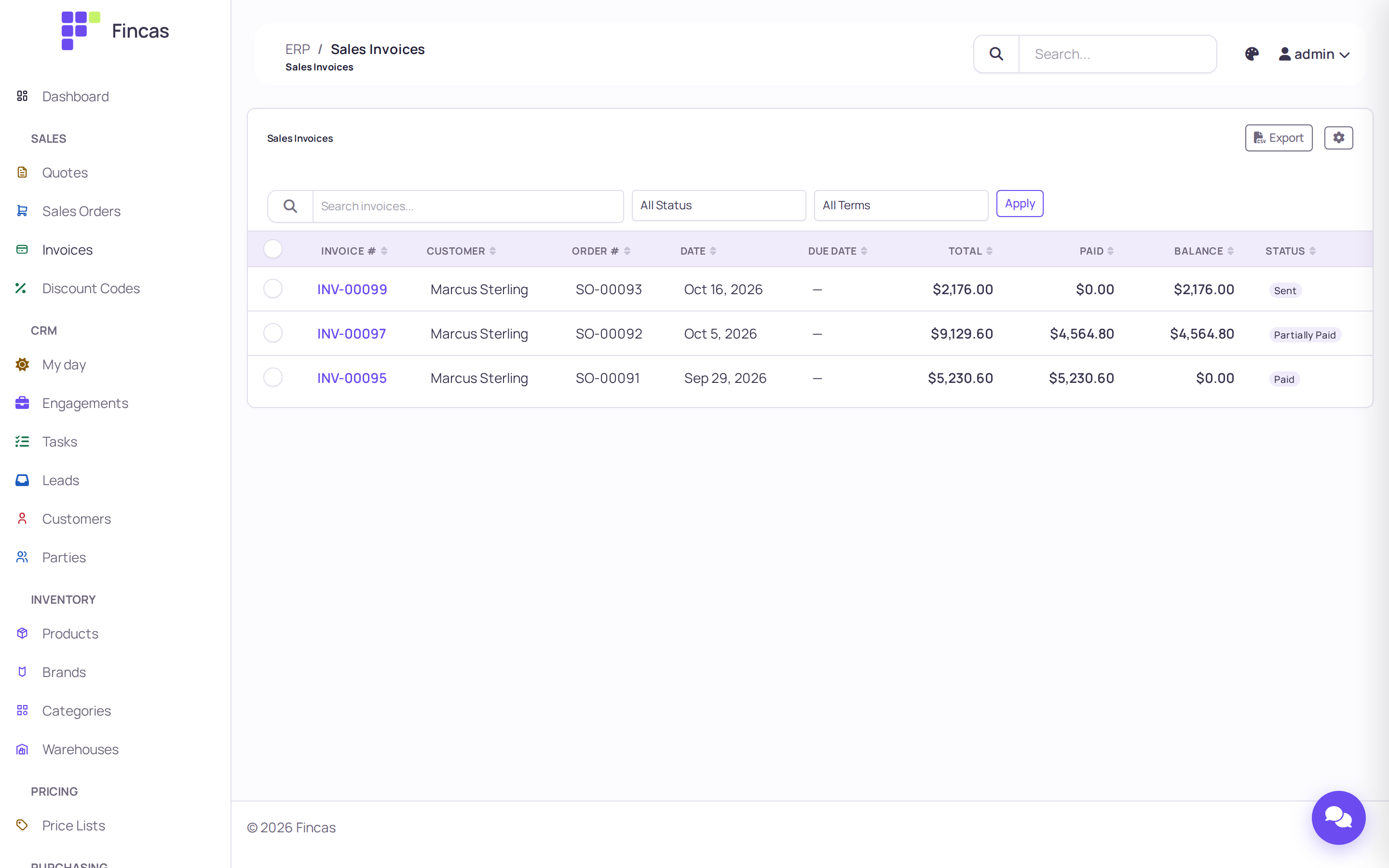
Operations
Section titled “Operations”Purchasing and receiving
Section titled “Purchasing and receiving”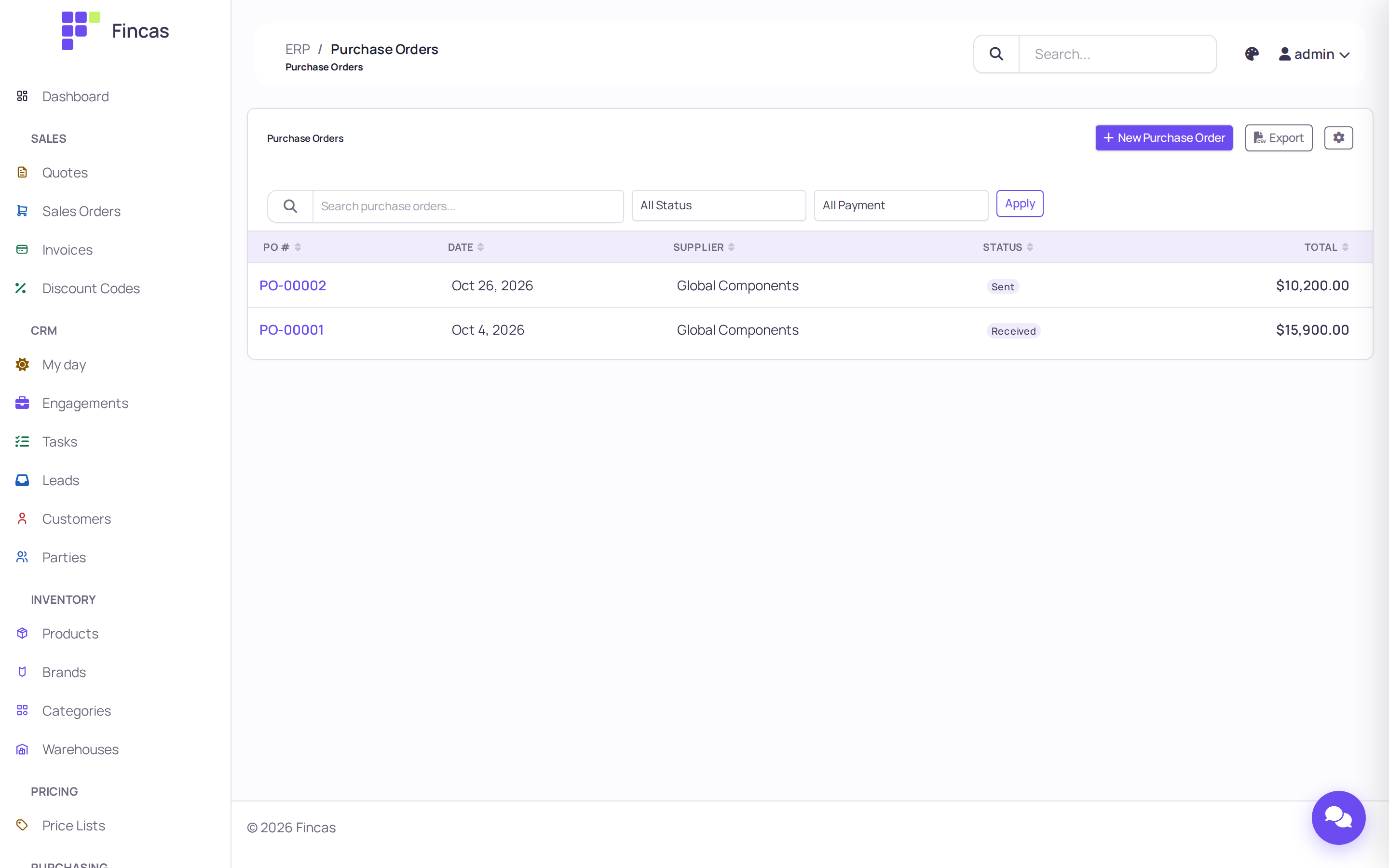
Products and stock
Section titled “Products and stock”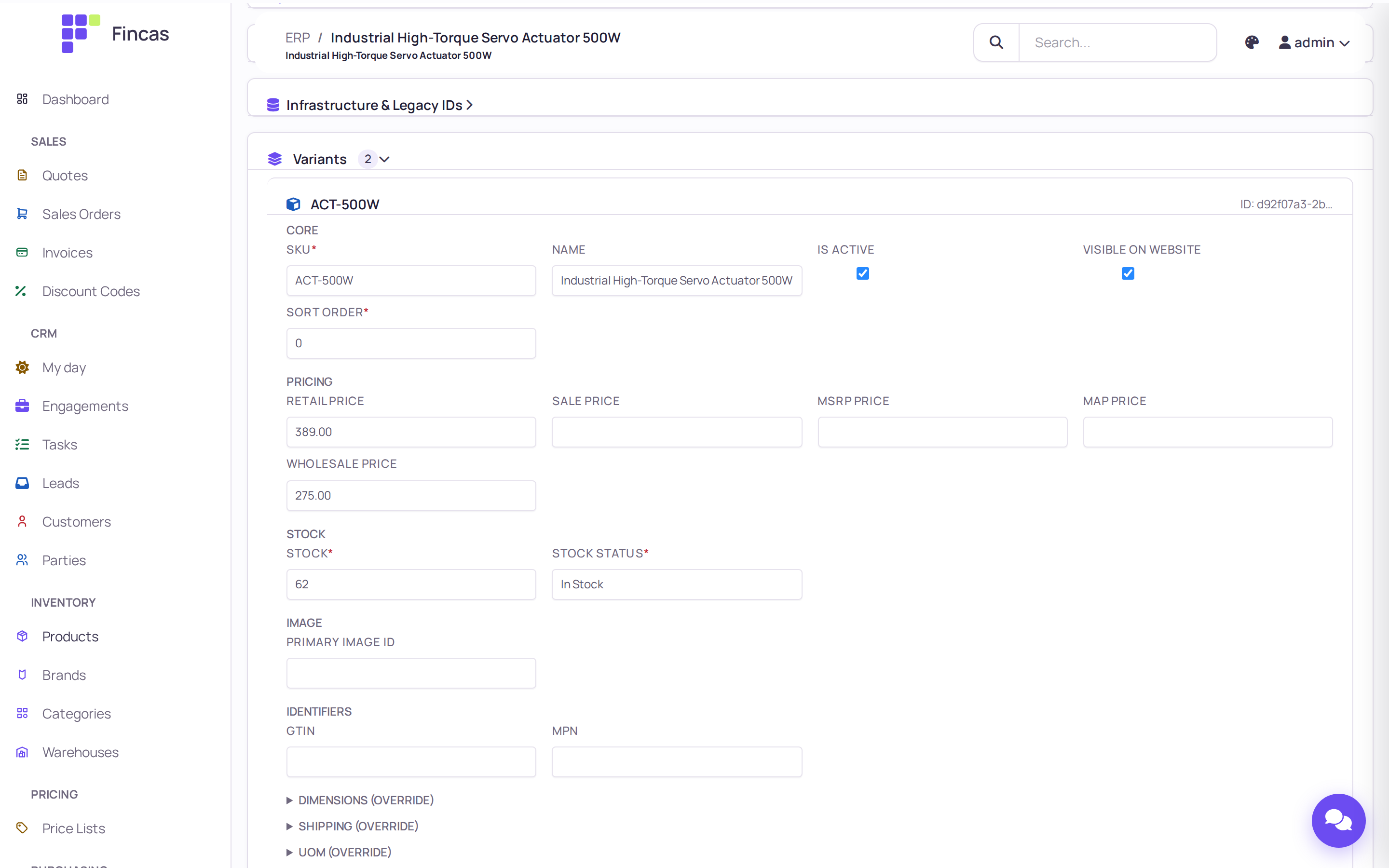
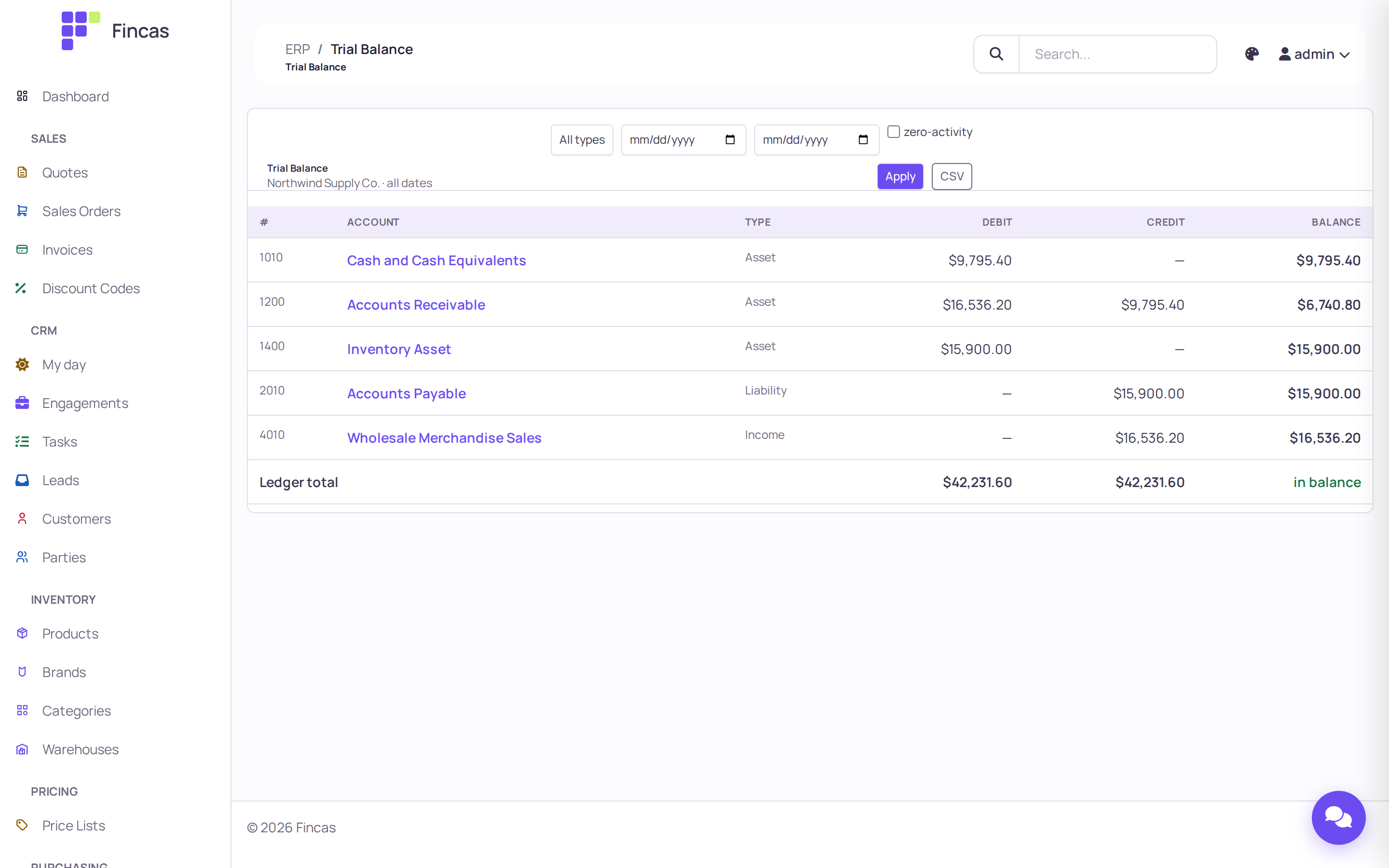
Accounting
Section titled “Accounting”Invoices, payments and goods receipts post journal entries by rules you configure, so the ledger stays in step with the documents.
Themes
Section titled “Themes”The back office ships generated themes that are checked against WCAG AA, light and dark.
My day
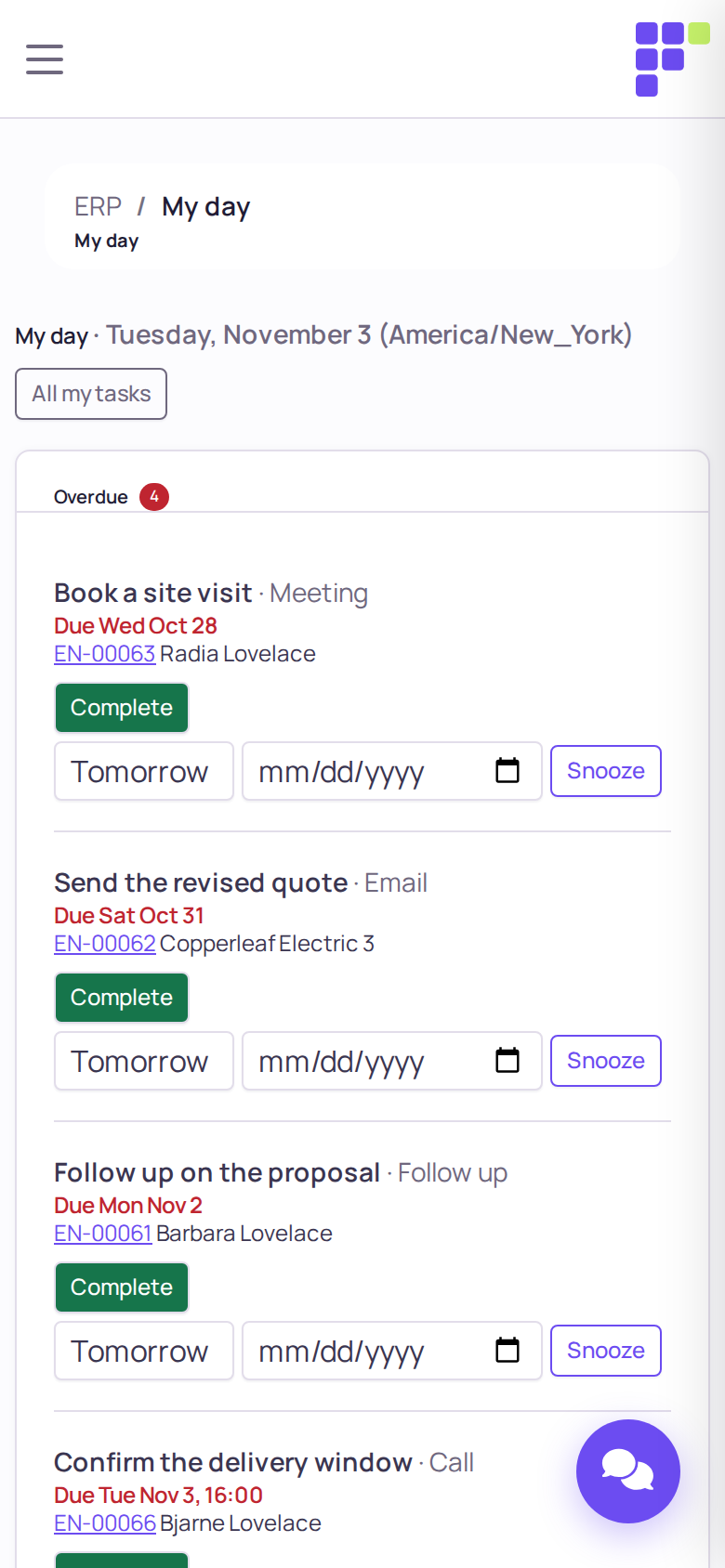
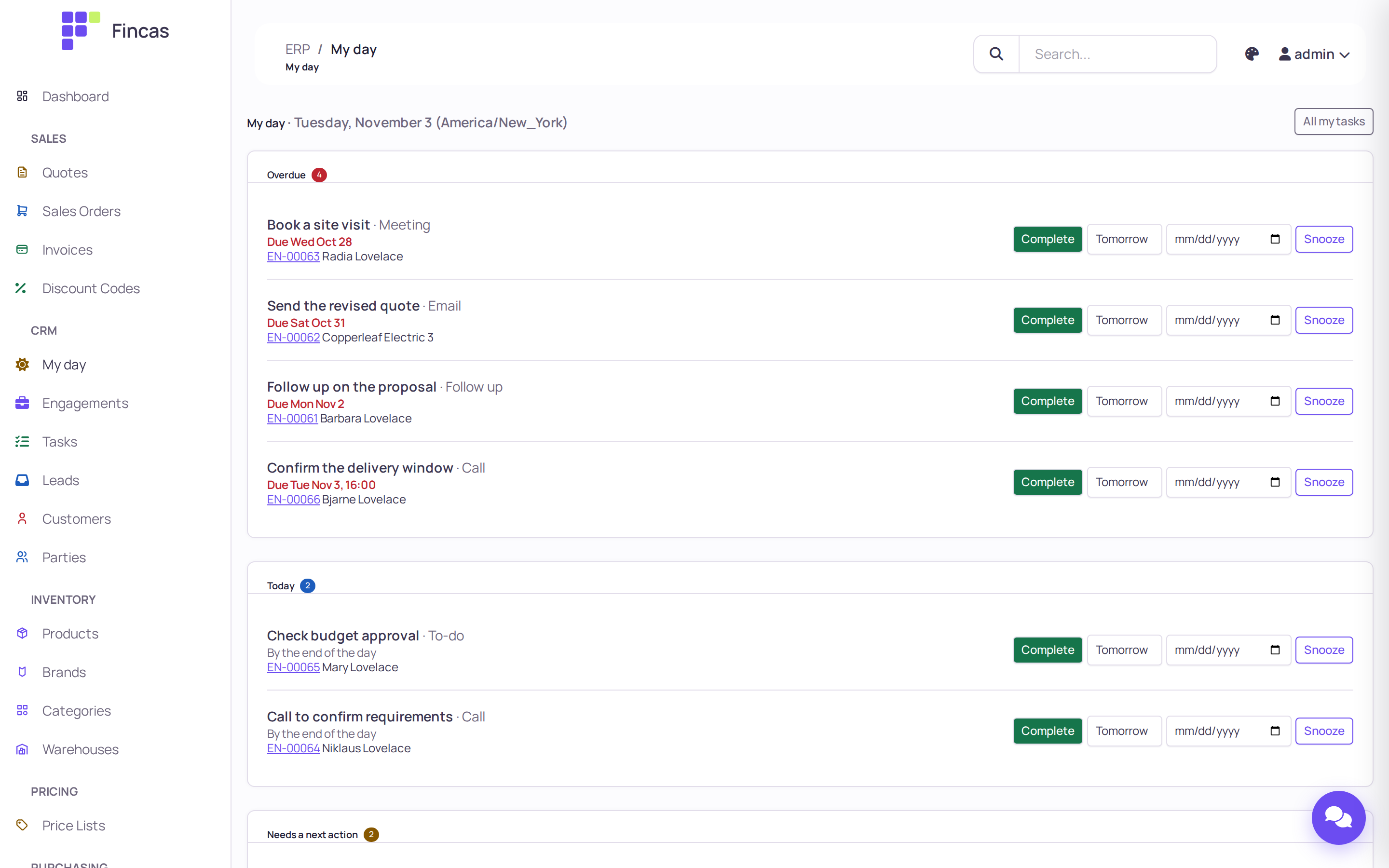
Section titled “My day”The start page for anyone who sells: what is overdue, what is due today, and which deals need a next action. Each task completes, moves to tomorrow or snoozes in place.
Engagements
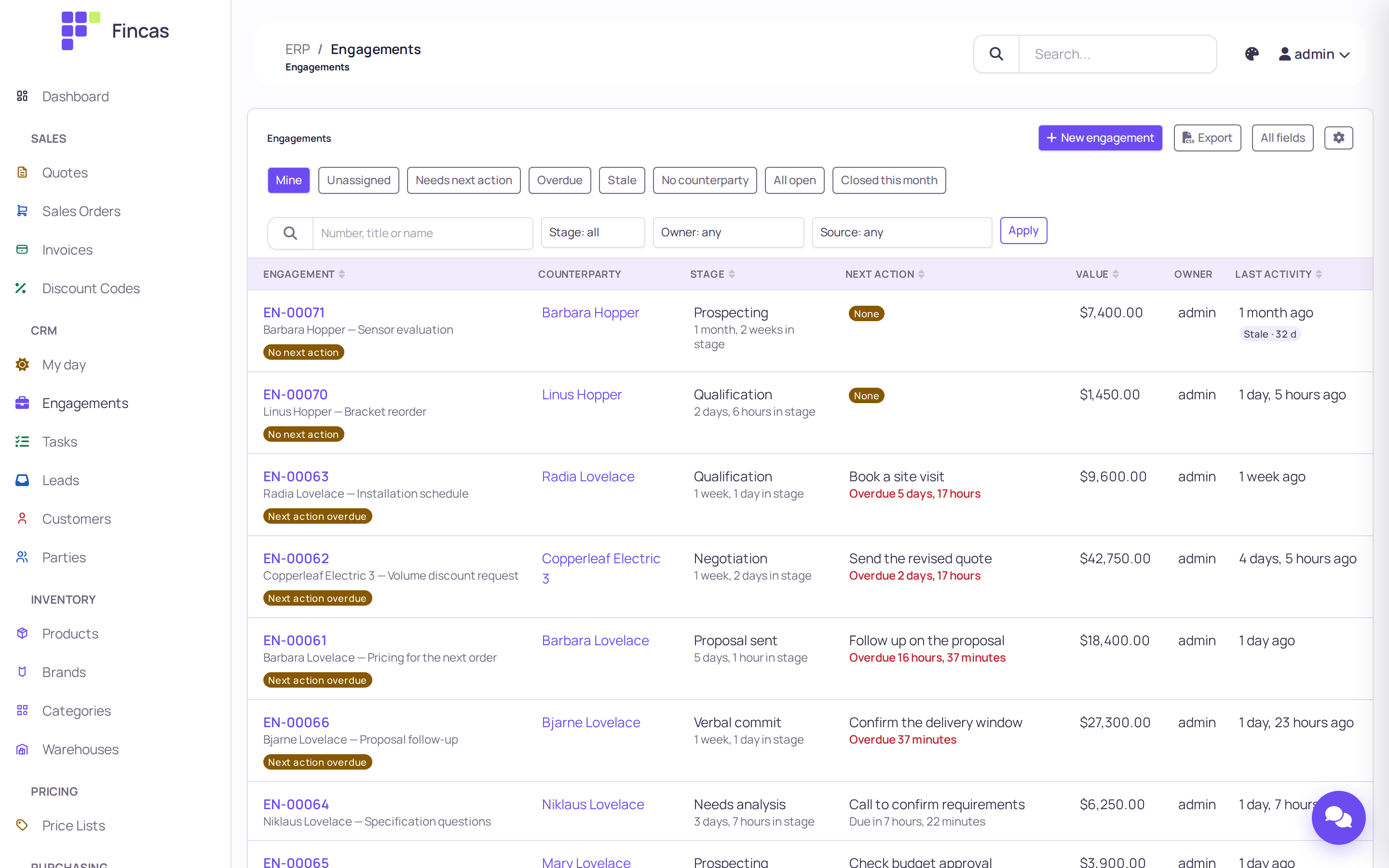
Section titled “Engagements”Every deal is an engagement on a pipeline. The list shows stage, time in stage, the next action and whether it is overdue, so stale deals stand out.
An engagement
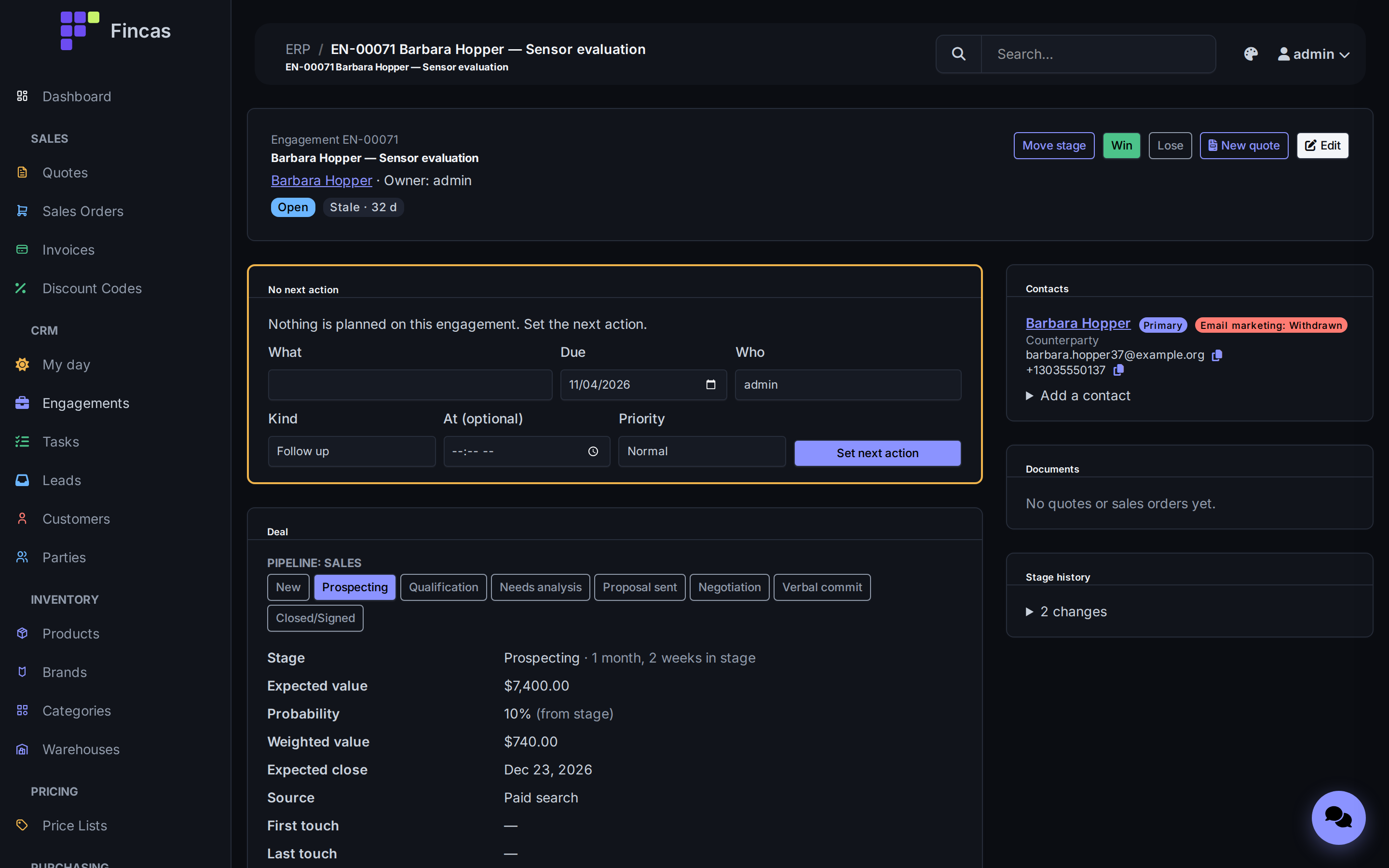
Section titled “An engagement”Move the stage, win or lose, start a quote, and set the next action without leaving the
page. Stage history is recorded for every change. Shown here in the midnight theme.
One record per person or organization
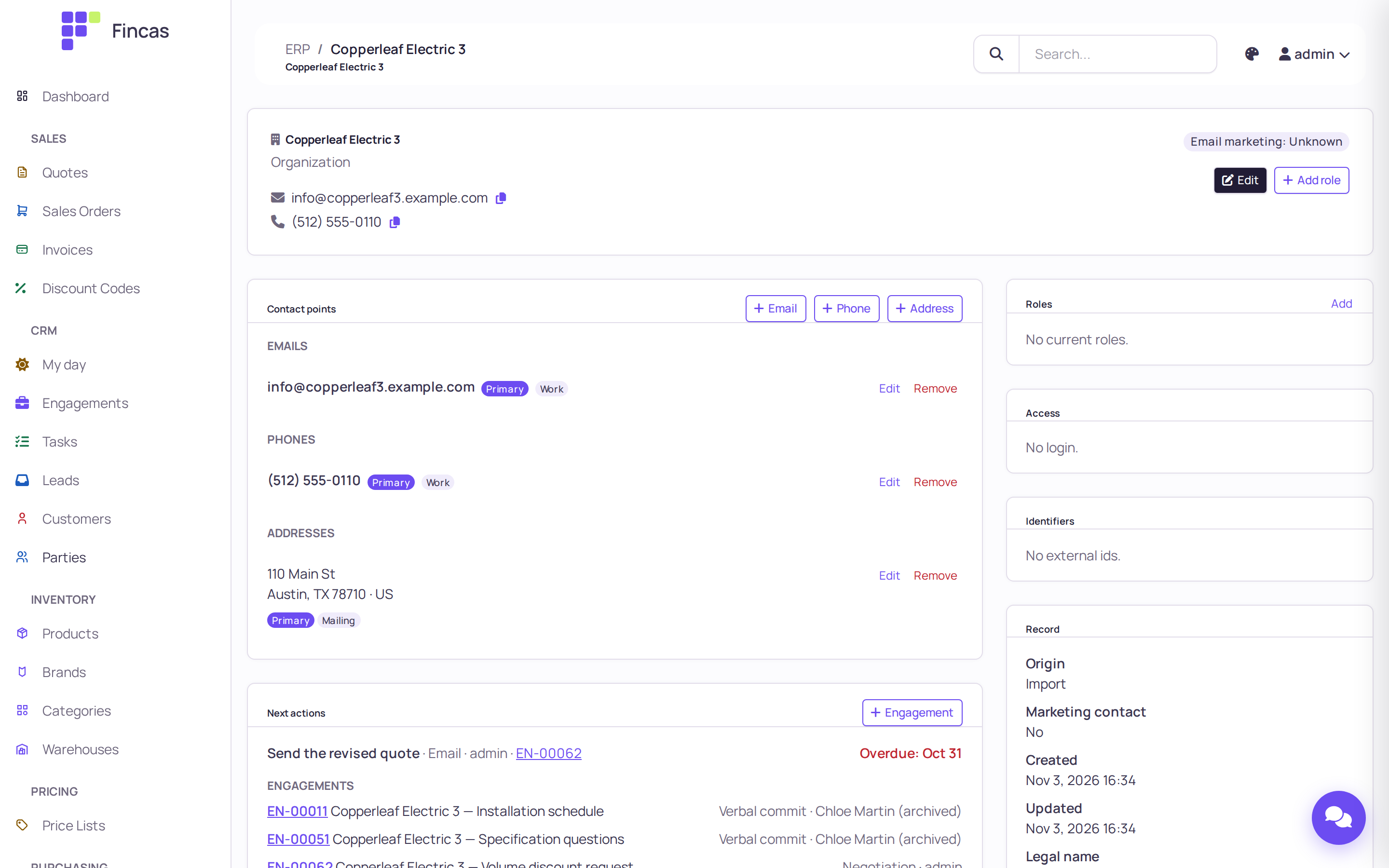
Section titled “One record per person or organization”A party holds every email, phone and address once, with roles, portal access, external identifiers and all of its engagements.
Pipelines
Section titled “Pipelines”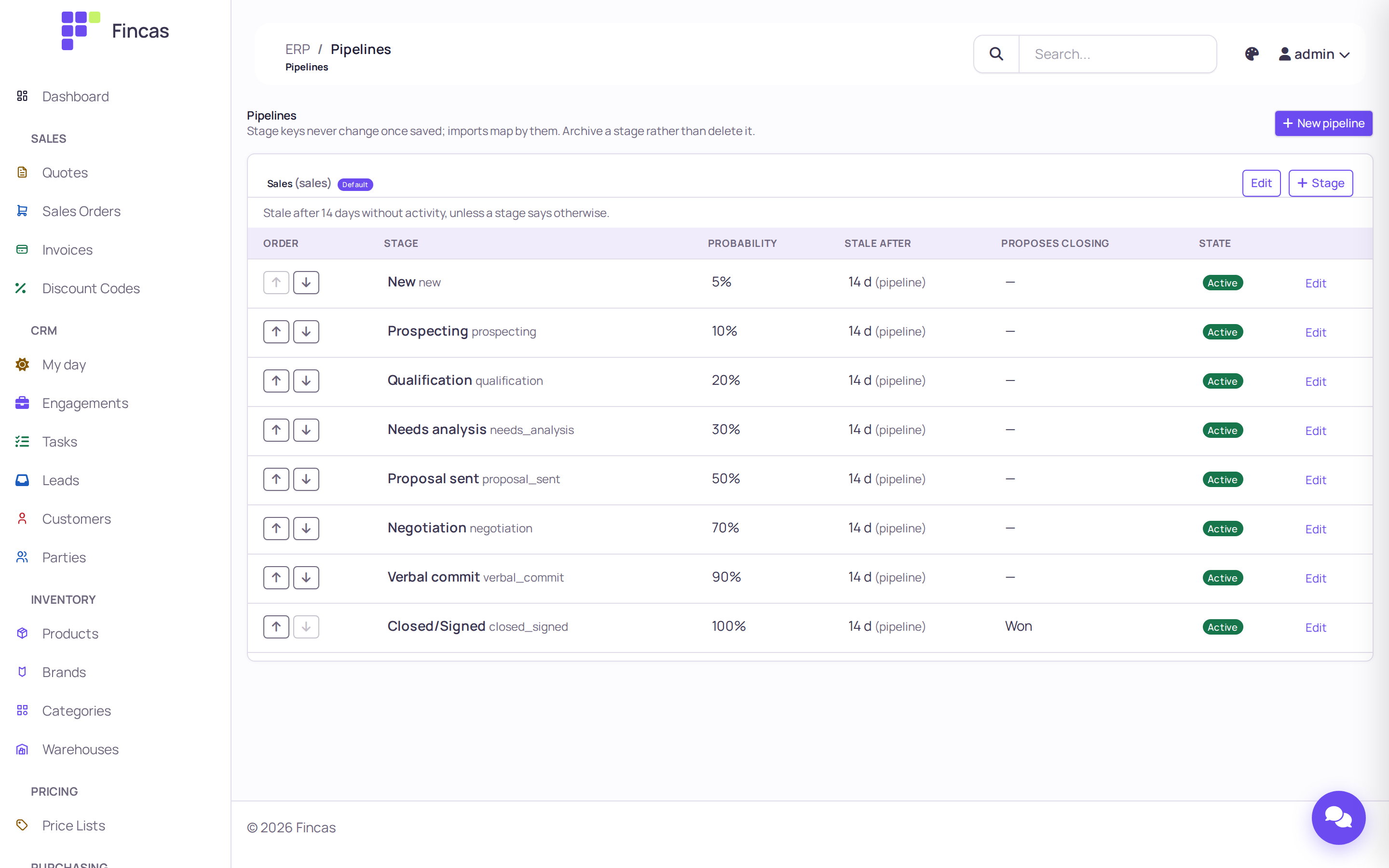
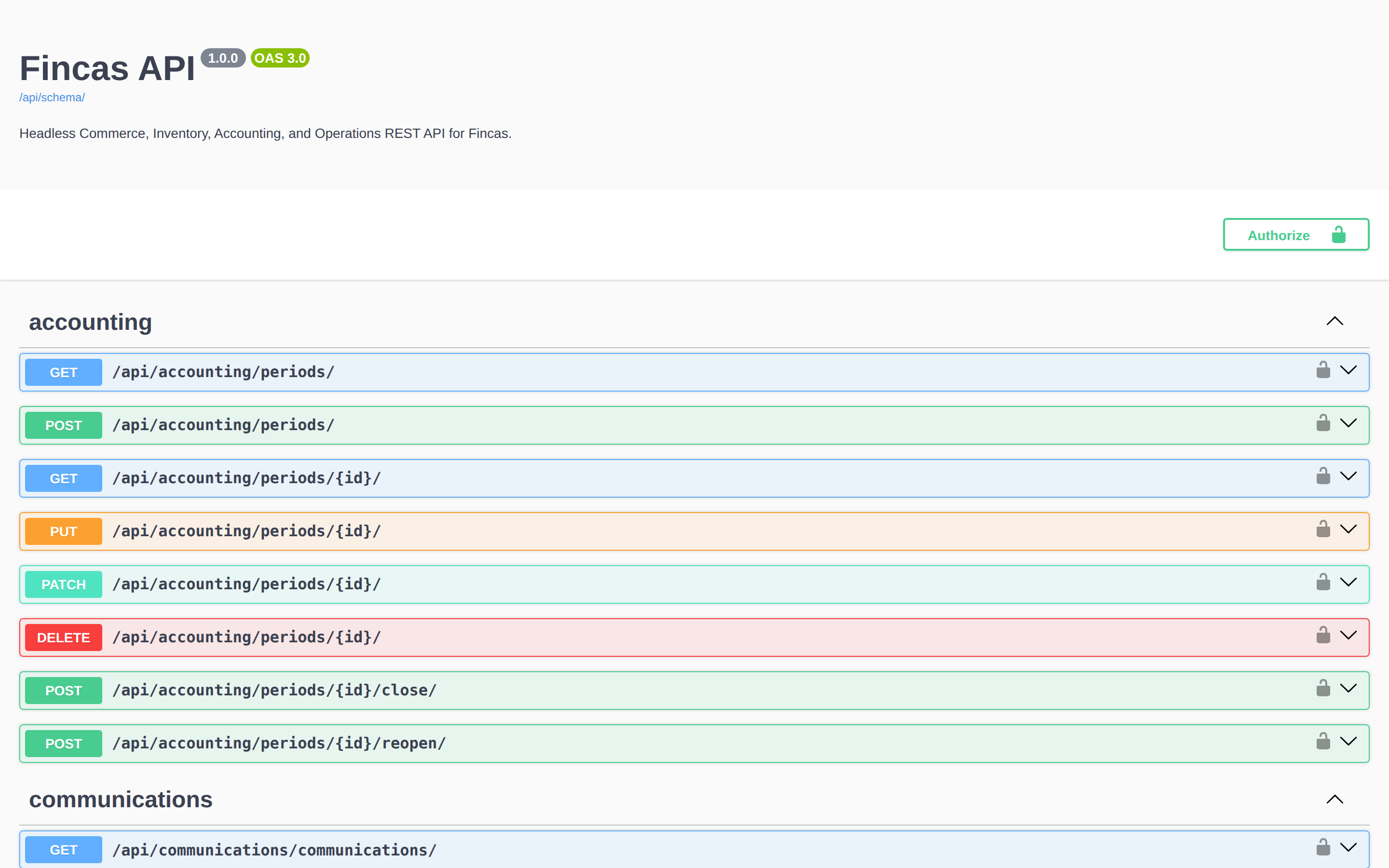
The REST API ships an OpenAPI 3 schema with Swagger UI and Redoc. A storefront, an integration or a script uses the same endpoints as the back office.
On a phone
Section titled “On a phone”The back office works down to 360 px wide.